


Skull Up
4.6388.00 Reviews
App Specs
- Version
- 1.0.13
- Updated On
- License
- Free
- Downloads
- 100,000+
- Developer
- Efun Game Ltd.
- Categories
- Card
- Platform
- Android
Screenshots
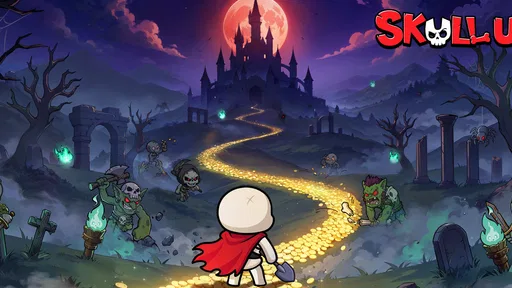
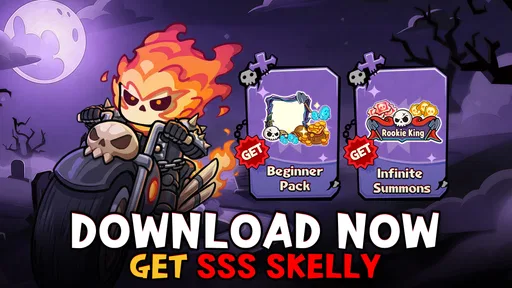
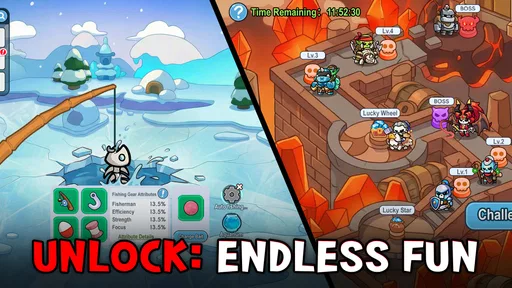
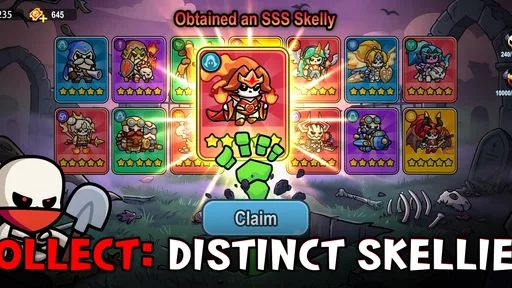
 Analysis by AppCompare
When I want a card game to fill a short break, I look for something that gives me a reason to make choices without demanding a long, uninterrupted session. Skull Up has a playful identity and a progression-focused pitch, but its appeal depends on whether you enjoy building momentum over repeated visits. I’d approach it as a casual game to explore at your own pace, not as a guaranteed fit for someone seeking deep, competitive card play.
What its card-game focus means for your choice
Although its presentation may suggest an action adventure, this is listed as a card game. That distinction matters: if you are choosing between it and a reflex-heavy platform game, I would not assume the same kind of experience. The most useful question is whether you enjoy card-based play paired with ongoing advancement. Players who like seeing a collection or character build develop over time may find that premise more appealing than someone who wants a self-contained puzzle or a quick arcade challenge.
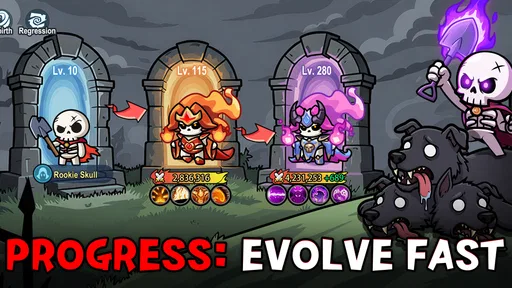
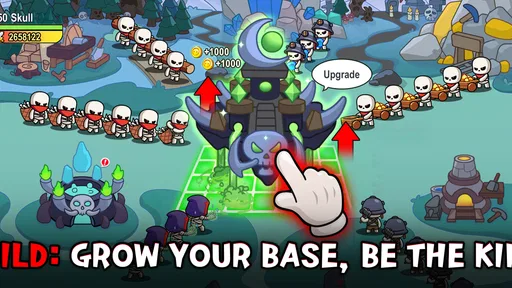
The game is made by Efun Game Ltd. and is free to start, which makes trying it a relatively straightforward decision. Its store description emphasizes progression and a pre-order offer involving a high-rank hero and a beginner set; I would treat that as an indication of the game’s advancement-and-reward framing, rather than a promise that a particular item will be available to every player at every point. If you are mainly interested in the card decisions themselves, pay attention to how much of your enjoyment comes from playing versus improving your roster and account.
Rewards, progression, and spending choices
Progression is central to the way the game presents itself, so a practical tip is to pause before spending any early rewards. In games built around leveling, it is easy to use a resource as soon as it appears, only to realize later that it would have helped more on a character or challenge you care about. I’d first learn what the game asks you to do regularly, then decide which rewards make the biggest difference to your own routine.
There are in-app purchases, with listed item prices ranging from $0.29 to $99.99. That wide span is worth keeping in mind even if you plan to play for free. I would set a personal spending limit before getting attached to a particular upgrade, and check whether a purchase solves a problem I actually have or simply makes progress feel faster. Free access is useful for testing the basic appeal; it does not mean every optional purchase is necessary or worthwhile.
A second useful habit is to distinguish a genuine progress block from a moment when you simply have not learned the game’s rhythm yet. If a card battle or advancement step feels slow, try returning after a break rather than paying to move past it immediately. That gives you a clearer sense of whether the game’s normal pace works for you. It is also a good way to decide whether its progression is satisfying on its own, instead of relying on purchases to make it feel rewarding.
How it fits into an ordinary day
I can imagine opening it during a commute break or while waiting for an appointment, when I have enough time to focus on a few decisions but not enough to settle into a long gaming session. The sensible approach would be to check what the current task involves, play until I reach a natural stopping point, and leave longer progression goals for another visit. That kind of routine suits a game whose appeal is tied to returning and leveling, while reducing the temptation to keep playing simply because another reward may be close.
Worth Reading Before You Choose

EA SPORTS FC Mobile 26 Is a Bigger Football Game, but It Takes Time

Flipboard Shows What News Apps Must Do Beyond the Feed

Switching to Android Auto Means Rethinking Your Driving Routine

Google Calendar Makes a Crowded Week Easier to Manage

Ludo King Makes the Most of the Minutes Between Plans

Baby Panda World Brings Quick Play to Modern Phones, but Its Game Library Feels Busy
For a busy player, one important question is whether short visits feel worthwhile. A progression-led game can be satisfying in small pieces if each session gives a clear step forward; it can feel like a chore if the interesting parts are always just beyond the next stretch of repetition. I would give it a few sessions and notice whether I am making decisions I enjoy or merely tapping through tasks to reach a later payoff. That distinction is more useful than judging it from its theme alone.
It is also worth thinking about where you play. A card game can be easier to pick up in brief moments than a game that demands precise timing, but that does not automatically make every session interruption-proof. If you are often interrupted, avoid starting a match or task when you cannot comfortably finish it. That small adjustment helps keep a casual game relaxing rather than turning every pause into a lost train of thought.
Who is likely to enjoy it—and who may not
I’d recommend giving it a look if you like card games with an ongoing sense of growth, enjoy trying a new game without paying upfront, and do not mind evaluating optional purchases as you go. Its Everyone 10+ age rating may also help families decide whether it is suitable, though I would still check the game together and consider each player’s comfort with in-app purchases. The average rating is 4.6 from around 3.8K ratings, and it has more than 100K installs, which suggests a sizeable audience has tried it; those figures are useful context, not a substitute for deciding whether its style suits you.
On the other hand, I would steer away if you want a purely strategic card battler with no emphasis on advancement, or if any spending prompts make a free-to-play game less enjoyable for you. Someone who prefers a fixed campaign with a clear endpoint may also be happier with a different kind of card title. And if your favorite games are all about fast reactions, the card category is a reason to check the actual play style before expecting an action-focused experience.
Compared with a traditional deck-building game, where the pleasure often comes from shaping a compact set of cards and refining each run, this title’s progression-first framing may be a better match for people who like longer-term growth. Compared with a collectible card game centered on player-versus-player competition, it may appeal more to someone who wants a relaxed route into the genre, though I would not choose it specifically for competitive depth without first seeing how its play works. The trade-off is straightforward: ongoing advancement can make return visits feel purposeful, but it can also make the experience feel less self-contained.
Practical details before you install
The game is free, while optional in-app items are priced from $0.29 to $99.99. It is rated Everyone 10+, and the current version is 1.0.13. The listed minimum operating-system requirement is 7.0. I’d check that your device meets it before downloading, especially if you are installing on an older phone or tablet. The release date is Feb 2, 2026, so the game is relatively new; that makes it sensible to judge it by the experience available now rather than assuming it already has the long-established balance or content range of a veteran card series.
If you are deciding whether to install, I would start with one simple test: does the core card play interest you before you think about leveling rewards? If yes, the free entry point gives you room to explore. If your interest depends entirely on a specific pre-order bonus or an expectation of instant progression, I would slow down and check what is available to you first. That keeps your decision grounded in the game you can actually play, not just its promotional framing.
So, I recently got my hands on Skull Up, and let me tell you, it’s quite the ride. If you’re into games that mix action with a sprinkle of strategy and just a dash of humor, then this might be worth your time.
First Impressions
When I first opened Skull Up, the vibrant graphics immediately caught my eye. The colors are bold and the characters are wonderfully quirky, which already set a fun and engaging tone. You know that feeling when a game just makes you smile from the get-go? Yeah, it’s like that.
The interface is intuitive, which means you can jump right into the game without a steep learning curve. The controls are smooth, making it easy to navigate through the different levels and challenges.
Gameplay Experience
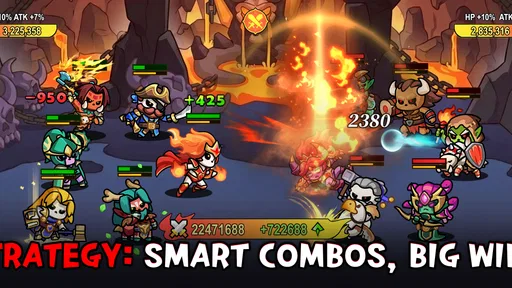
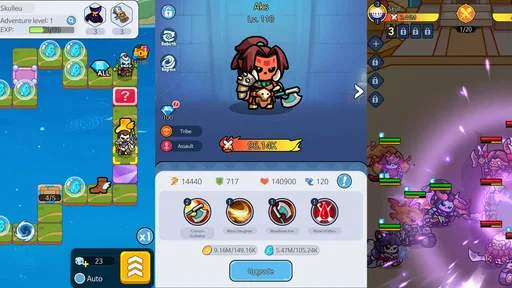
Now, let’s dive into the gameplay itself. In Skull Up, you’re tasked with guiding your character through a series of obstacles, collecting treasures, and battling quirky enemies. The levels are designed to keep you on your toes, requiring both quick reflexes and strategic thinking.
What I love about the gameplay is how it balances action with puzzle elements. It’s not just about speed; you have to think a couple of steps ahead to succeed. There are various power-ups scattered throughout the levels that can give you an edge, and discovering how to best use them is part of the fun.
Graphics and Soundtrack
The graphics are another highlight of the game. The developers did an excellent job with the character designs and environments. Each level feels like a new adventure, with unique themes and challenges that keep things fresh.
And the soundtrack? It’s catchy and perfectly complements the game’s lighthearted vibe. The sound effects add to the immersion, making every jump, dodge, and attack feel impactful.
Challenges and Levels
As you progress, the levels become more challenging, which I found pretty exciting. It’s one of those games where you really feel a sense of accomplishment when you finally beat a difficult level. There’s a nice mix of easy and tough stages, so it never feels repetitive.
Also, there’s room for experimentation. You can try different approaches to tackle the obstacles, which adds replay value. Whether you’re a casual gamer or a hardcore enthusiast, there’s something here for everyone.
My Final Thoughts
Overall, Skull Up is a delightful game that successfully combines action, strategy, and humor. It’s one of those games that can easily suck you in for hours, thanks to its engaging gameplay and charming presentation.
Whether you’re looking for something to pass the time or a new gaming obsession, this app might just hit the spot. So, why not give it a whirl and see if it’s your cup of tea?
Ready to embark on this quirky adventure? You can find Skull Up on both Android and iOS platforms. Happy gaming!
Pros
- Intuitive controls enhance gameplay.
- Visually stunning graphics.
- Engaging story keeps players hooked.
- Frequent updates with new content.
- Supports offline play for on-the-go fun.
Cons
- In-app purchases can be costly.
- Occasional lag on older devices.
- Requires significant storage space.
- Limited customization options.
- Some levels can be repetitive.
FAQs for Skull Up
What is Skull Up and what can players expect from its gameplay?
Skull Up is an action-packed mobile game that combines fast-paced platforming with challenging puzzles. Players can expect to navigate through intricate levels filled with obstacles, enemies, and traps. The gameplay emphasizes quick reflexes and strategic thinking, making it engaging for those who enjoy a mix of action and problem-solving.
Is Skull Up free to play, and are there any in-app purchases?
Skull Up is free to download and play, offering a variety of levels and challenges accessible to all users. However, it does include in-app purchases that provide additional content, power-ups, or cosmetic items. These purchases are optional and designed to enhance the gaming experience without being necessary to progress.
What platforms is Skull Up available on, and are there any system requirements?
Skull Up is available on both Android and iOS platforms. For Android users, it requires version 5.0 and up, while iOS users need version 11.0 or later. The game is optimized for both smartphones and tablets, ensuring a smooth experience across different devices.
Does Skull Up require an internet connection to play?
Skull Up can be played offline, allowing users to enjoy the game without needing a constant internet connection. However, certain features, such as leaderboards and cloud saves, require an internet connection to function. Playing online enhances the experience by allowing players to compete globally.
What kind of updates and support does Skull Up receive from its developers?
The developers of Skull Up are committed to providing regular updates that include new levels, features, and improvements based on player feedback. Support is readily available through the app's help section, where users can report issues or seek assistance. The game maintains a vibrant community, encouraging player interaction and feedback.


